Claude Code on WSL
Claude Code on WSL (WSL2): Setup and Fixes
Fixes for running Claude Code on WSL / WSL2 with Windows Terminal: paste Windows screenshots into Claude Code, get Windows notifications when it finishes or needs permission, make Shift+Enter insert a newline, open login links in your Windows browser, use LSP navigation, and add a statusline for context and usage.
Maintenance status: I now use Ubuntu + Ghostty and no longer test this setup daily on WSL2 (why I moved). The guides stay focused on WSL2. Bug reports and fixes are welcome: use the WSL2 issue form and include the output of
bash scripts/doctor.sh. The verification status lists changes that still need a WSL2 run.
Install Claude Code on WSL first
This repository starts after installation. To install Claude Code inside WSL, follow the official Install in WSL instructions, then come back for the fixes below.
Who this is for
Use this if you run Claude Code from WSL2 and want the Windows side to stop feeling bolted on: screenshots paste as WSL paths, notifications land in Windows, browser links open in your normal browser, and the statusline shows context and usage.
Where to start, depending on what hurts most:
- Context burn →
lsp-setup. - Windows/WSL friction →
image-pasteandclaude-notify. - No visibility into context and usage →
statusline.
Preview
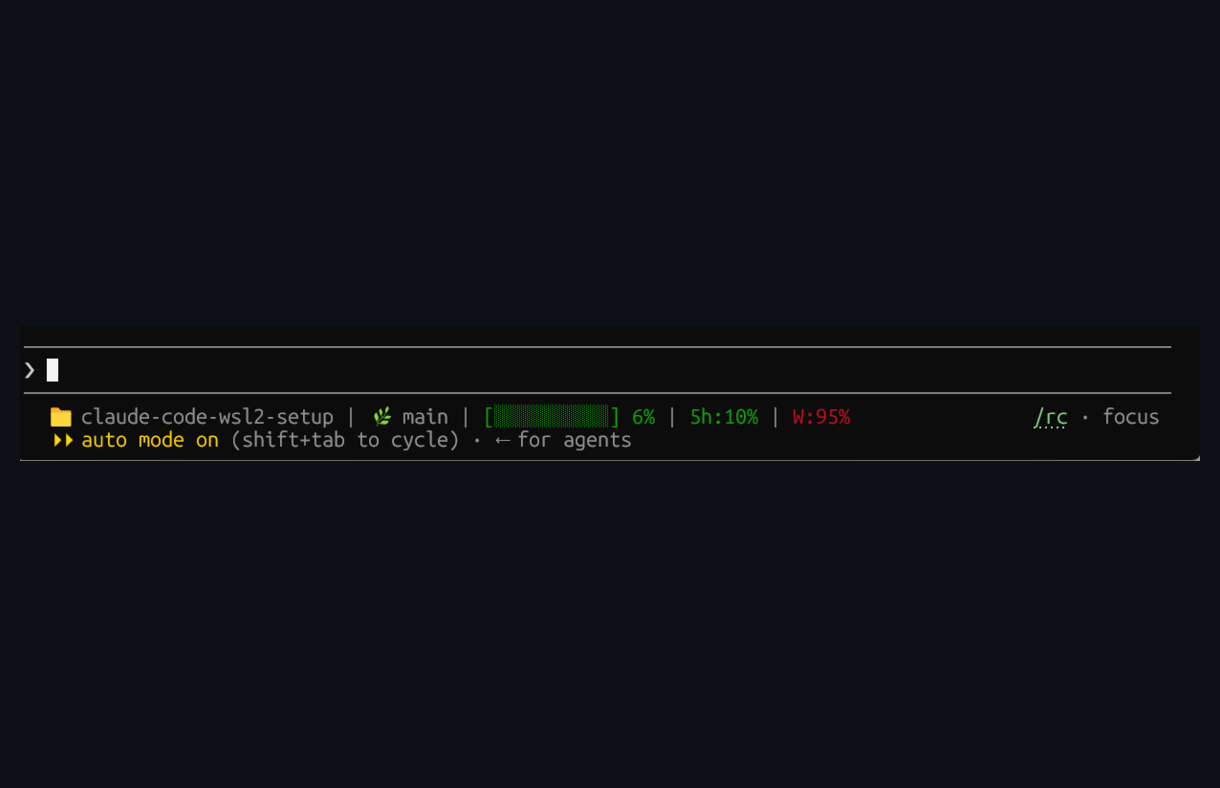
claude-code-wsl2-setup | main | [··········] 6% | 5h:10% | W:95%
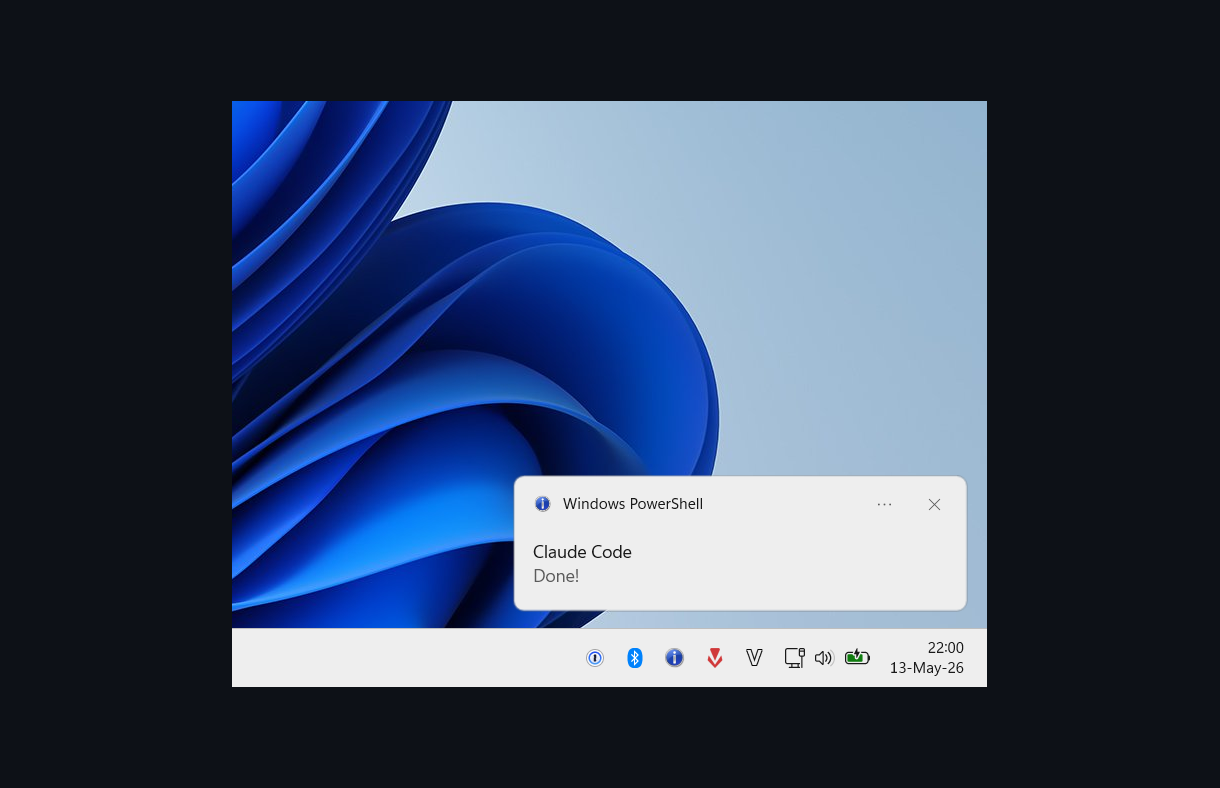
Balloon tip fires on Claude Code Notification events, skipped when Windows Terminal is focused
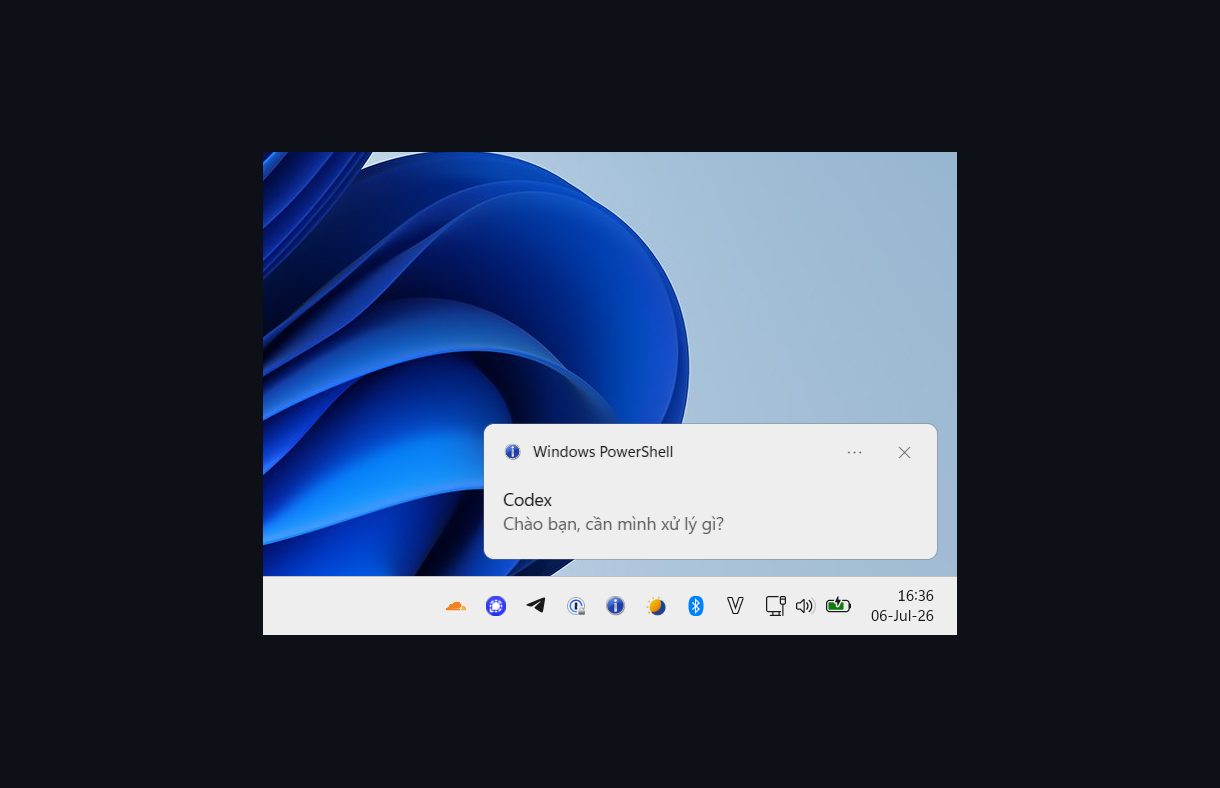
Codex's top-level notify command shows the completed turn's last reply
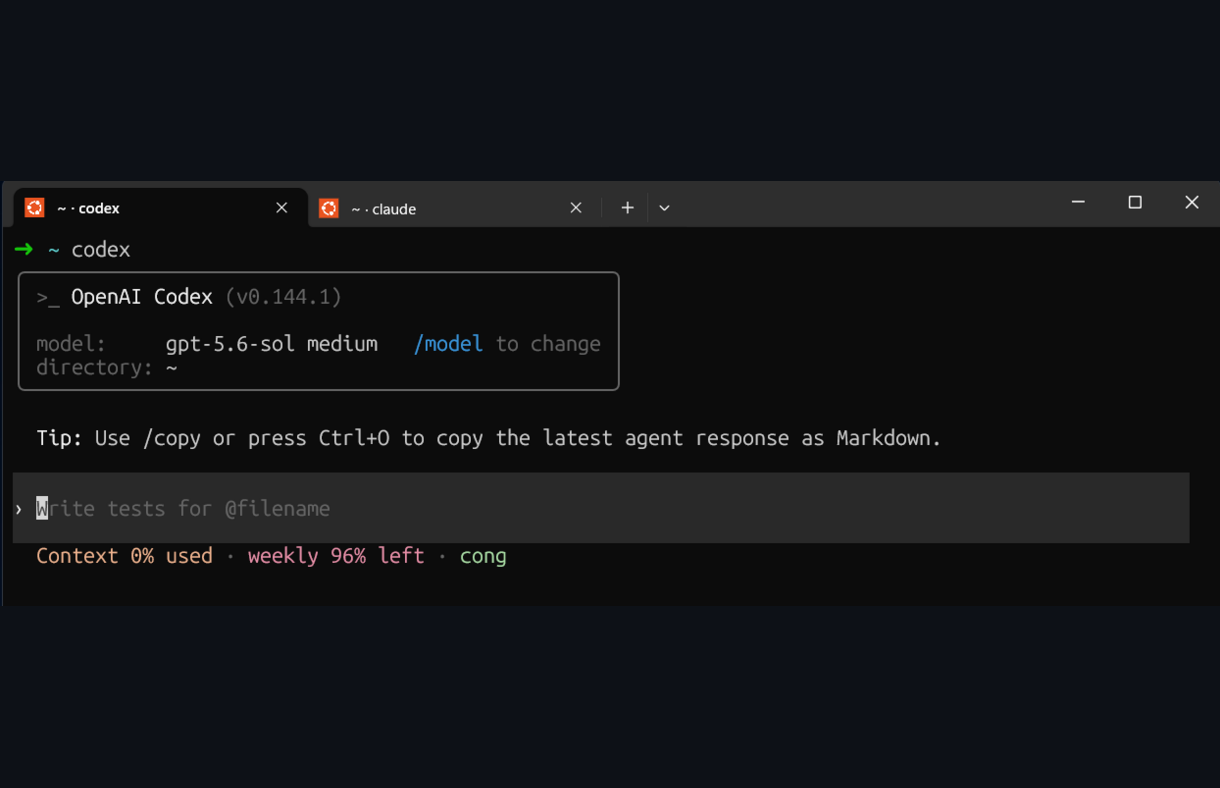
Shell-managed titles keep Claude Code and Codex tabs distinguishable.
Setup
These instructions target WSL2 + Windows Terminal. Start with the guide for the feature you need; optional integrations are separate choices.
git clone https://github.com/congmnguyen/claude-code-wsl2-setup.git
cd claude-code-wsl2-setup
claude
Then prompt:
Help me set up this repository’s WSL2 features. Check my environment, explain the changes, and preserve my existing settings. Leave optional components alone.
Claude can read the docs and help apply the configuration. Some steps require changes on the Windows side; see the individual guides.
For a manual install, follow the linked setup page for the feature you want.
What’s included
Claude Code core
| File | Fix |
|---|---|
lsp-setup.md |
Official LSP plugins + language servers for TypeScript, Python, Go, and Rust, so Claude uses real Go-to-Definition / find-references instead of burning tokens on broad file search |
statusline.md |
Project dir, git branch, context-window fill bar, and 5-hour / 7-day usage, color-coded by severity |
settings.md |
Disabling the Co-authored-by: Claude git attribution and session links |
WSL / Windows bridge
| File | Fix |
|---|---|
image-paste.md |
Copy a screenshot on Windows, paste the file path straight into Claude Code or Codex. A systemd user service keeps wsl-screenshot-cli running, saves shots under /tmp/.wsl-screenshot-cli/, and restarts the monitor if it exits. Optional Alt+V keybinding |
terminal-title.md |
Distinct zsh tab titles for the current project and active agent, such as text2sql-agent · ✳ Claude or text2sql-agent · >_ Codex |
claude-notify.md |
Windows balloon tip on Claude Code Notification events — Claude finished, needs permission, or a background agent completed — suppressed when Windows Terminal is already focused |
codex-notify.md |
Reuse the same balloon script through Codex’s top-level notify command |
bin/tmux-notify-run |
Detached tmux jobs with logs, exit status, and Windows completion notification |
shift-enter.md |
Shift+Enter inserts a newline instead of submitting, in both the VSCode integrated terminal and Windows Terminal |
browser.md |
Open links and OAuth flows in your Windows browser via BROWSER, plus an XDG fallback for OAuth CLIs |
mcp-setup.md |
Optional. Project-scoped Figma Desktop MCP, reached from WSL2 through mirrored networking |
capslock-esc.md |
CapsLock → Escape via a SharpKeys registry remap — works in WSL2, Vim, games, and elevated processes |
Troubleshooting
If a hook, plugin, or other customization breaks Claude Code, start a clean diagnostic
session with claude --safe-mode. Use /doctor, /hooks, and /mcp to inspect the
installation and loaded integrations.
From the cloned repository, bash scripts/doctor.sh prints a read-only report of the
installed scripts, settings, and WSL2 prerequisites. It also flags known conflicts,
such as shell startup files or Claude hooks that start a second screenshot monitor.
Maintenance and checks
See maintenance for backups, verification, removal, and the scope of automated checks. Windows behavior still needs testing on WSL2.
Pruned notes
I removed hooks that truncated useful output, misclassified file reads, or changed code unexpectedly. Read the failure notes for the details.
License
MIT — feel free to copy, fork, or adapt for your own setup.